A portable security camera is useful when you need visibility for a few hours, a few nights, or one short stay without drilling holes or building a permanent system. The right setup is simple: charge the camera, connect it to Wi-Fi, place it on a shelf or magnetic mount, confirm the view, and remove it when you leave. The harder parts are choosing storage, respecting privacy, and making sure the device is fully removed from the location afterward.
This guide focuses on temporary use: short-term rental properties, guest stays, moving between homes, overnight travel, small pop-up spaces, and other places where you need one or two cameras for a limited time. It is not legal advice. Always check local law, rental agreements, and platform rules before placing any camera, especially in shared or guest-accessible spaces.
When a Portable Security Camera Makes Sense
A portable security camera makes sense when the camera needs to move with the situation instead of becoming part of the building. Think of a host checking an exterior entry between bookings, a homeowner monitoring a garage during a renovation, a renter watching a pet in a temporary apartment, or a traveler wanting a camera inside their own private room while they are away.
The key difference from a fixed home system is reversibility. A permanent camera can be wired, screwed into siding, paired with a large base station, and left alone for years. A temporary setup should be easy to place, easy to test, and easy to remove without marks.
Good temporary camera use usually has three traits:
- Limited duration: You know when the camera will come down.
- Limited view: The camera watches a specific entry, hallway, storage area, or personal space instead of everything nearby.
- Clear permission: You own the space, have permission to monitor it, or have disclosed the camera where disclosure is required.
If any of those are unclear, solve that first. A camera that is fast to deploy can still create privacy problems if it is placed in the wrong space.
Setup and Usage Guide
Temporary monitoring works best when the setup routine is boring and repeatable. Before you rely on the camera, run through the whole process once at home so you know how pairing, placement, alerts, and recording work.
- Charge the camera fully before you arrive. A portable wireless security camera should not need an outlet in the first hour. Pack the cable, a known-good power adapter, and any microSD card or hub the system needs.
- Connect it near the router first. Pair the camera in the app, update firmware if prompted, and confirm live view before choosing the final spot.
- Place it without damage. Use a tabletop position, magnetic mount, clamp, or approved removable mounting method. Avoid adhesives on delicate paint, wallpaper, finished wood, or surfaces you do not control.
- Frame only the intended area. Aim for doors, driveways, porches, storage zones, or your own private area. Do not capture bedrooms, bathrooms, changing areas, neighboring windows, or shared spaces where people have not agreed to monitoring.
- Trigger a test event. Walk through the monitored area, wait for the alert, and open the clip. A camera is not set up until you have tested the actual recording path.
- Create a removal reminder. Add a calendar reminder for checkout, move-out, or the end of the work period so the camera does not become an accidental long-term device.
This routine is the practical heart of temporary security camera no installation use. The goal is not to cover every angle. It is to cover the one or two areas that matter, then leave no hardware, no holes, and no forgotten account access behind.
Choose Battery Power and No Drill Mounting
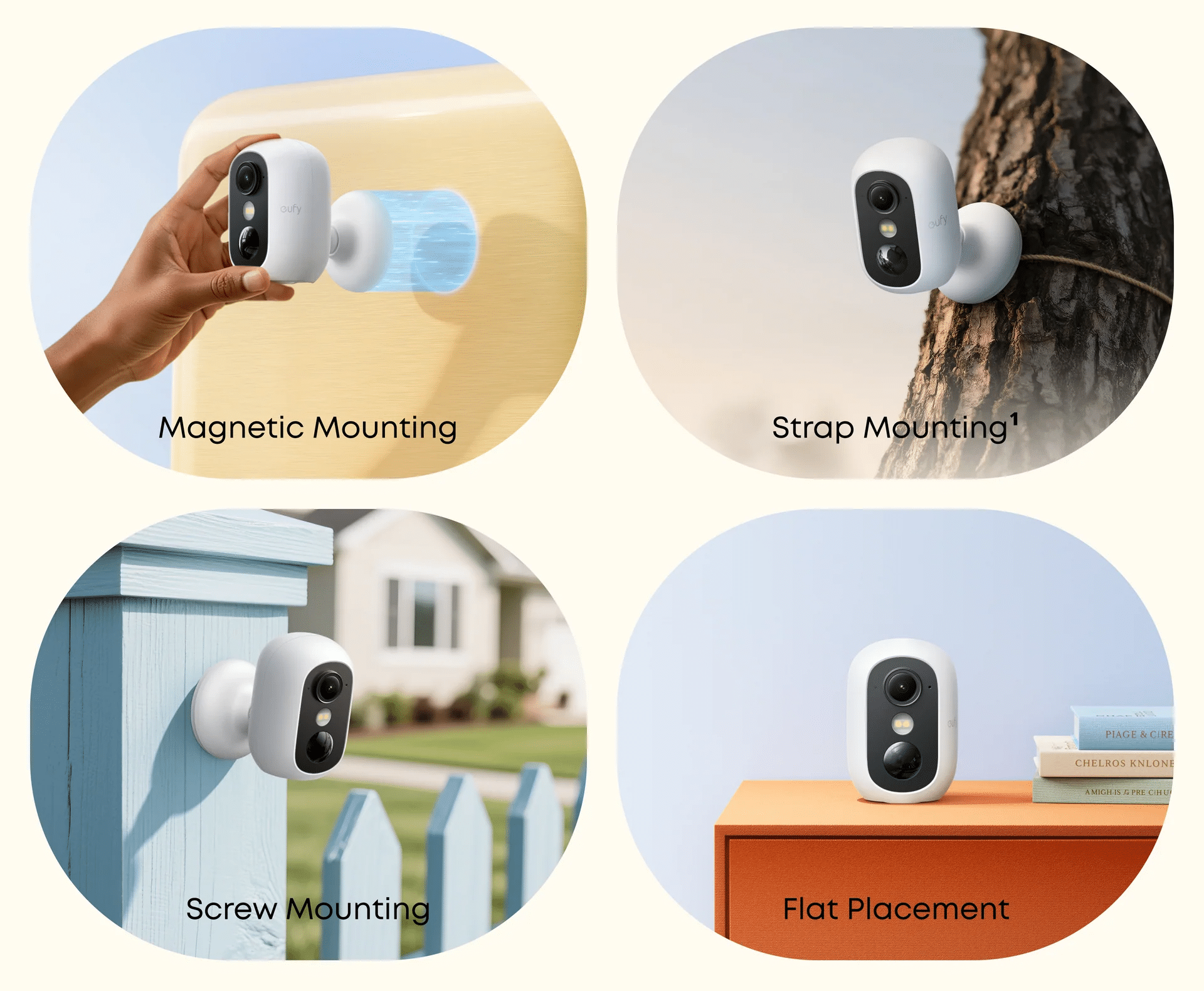
For temporary use, power matters more than many shoppers expect. A camera can have sharp video and smart alerts, but if it needs a wall outlet in an awkward place, it becomes less portable in practice.
A battery-powered model is usually the cleanest choice for short stays. It lets you place the camera on a bookshelf, metal surface, covered entry area, or temporary stand without running a cable across the floor. A magnetic mount is especially useful when you are placing the camera on a refrigerator, metal door frame, shelving unit, or other stable metal surface you are allowed to use.
No-drill mounting should still be treated carefully. A lightweight camera on a shelf is often safer than a strong adhesive on a wall you do not own. If you do use a removable strip, check the surface first and keep the camera low enough that a fall will not injure someone or damage property.
For outdoor temporary use, check weather resistance and power before you leave it unattended. A camera that is fine on an indoor table may not be suitable for rain, dust, heat, or direct sun. For a short-term rental exterior, entry camera, or temporary driveway view, an outdoor-rated battery camera is usually a better fit than an indoor-only camera placed near a window.
Local Storage or Cloud Storage for Short Trips
Storage is one of the most important choices for a portable camera for rental property use because the camera may be moved, disconnected, or removed after only a few days.
Local storage keeps footage on the device, a microSD card, or a local hub. In a short stay, that often pairs well with local network viewing: you can review clips while you are on the same property network, avoid extra subscription decisions, and keep more control over stored files. It can also help when internet service is unreliable, as long as the camera still records events locally.
Cloud storage or offsite backup can help when you need clips preserved away from the camera. It may be better for exterior doors, driveways, or high-traffic temporary locations where the device itself could be tampered with. The tradeoff is that cloud recording depends on internet access, account settings, and any subscription or data policy tied to the service.
For many short-term setups, the practical answer is hybrid thinking rather than one perfect choice. Use local storage for simple event review and privacy control, then download or save only the clips you truly need before deleting the rest. If the camera offers cloud backup, use it only when the monitoring risk justifies the extra data handling.
Privacy Rules for Short Term Rentals and Shared Spaces
Camera placement in short-term rentals and shared spaces deserves its own decision step. A temporary camera is still a recording device, and disclosure rules can be stricter than the device setup.
Airbnb’s official policy says hosts may not have security cameras or recording devices that monitor indoor spaces in homes, including hallways, bedrooms, bathrooms, living rooms, guest houses, common areas, and shared spaces, even if the device is turned off or disconnected. Airbnb allows certain exterior cameras and noise decibel monitors only when they follow the platform’s disclosure and placement rules, and exterior cameras cannot monitor indoor spaces or private outdoor areas such as enclosed outdoor showers or saunas.
|
“Hosts will be required to disclose the presence and general location of any outdoor cameras before guests book. These cameras will also be prohibited from monitoring indoor spaces of a listing and are not allowed in certain outdoor areas where there’s a greater expectation of privacy, like an enclosed outdoor shower or sauna.”——Airbnb |
Rules vary by platform, jurisdiction, property type, and whether you are a host, guest, tenant, owner, or contractor. As a practical safety boundary:
- Do not place cameras in bedrooms, bathrooms, changing areas, sleeping areas, or private outdoor spaces.
- Do not hide cameras or disguise them as unrelated objects.
- Do not aim cameras into neighboring homes, windows, or private yards.
- Disclose cameras clearly when guests, tenants, workers, or shared-space users may be recorded.
- Be especially cautious with audio recording, which can trigger different consent rules than video.
For a short-term rental host, exterior entry monitoring may be appropriate only if the platform and local rules allow it and the camera is disclosed before booking. For a guest, a personal camera may be appropriate only inside your own private area and only when it does not record other people without consent. When in doubt, choose privacy first.
Clear Data After Temporary Monitoring
A temporary camera setup is easier to manage when the app gives you a clean way to review event clips, delete routine footage, and clear local storage before you move the device to the next place. This is where eufy fits the short-term use case well: eufy Support says users can delete videos from the Events tab, clear HomeBase or bridge storage through device settings, or clear and format local camera storage through the app. Formatting local storage permanently deletes the stored data, so download anything important first.
A simple checklist helps:
- Download only the necessary clips.
- Delete routine event videos.
- Clear or format local storage when the monitoring period is over.
- Remove shared users who no longer need access.
- Rename or remove the old location in the app.
- Pack the camera, mount, cable, card, and hub together.
An Option Worth Considering for Portable Use
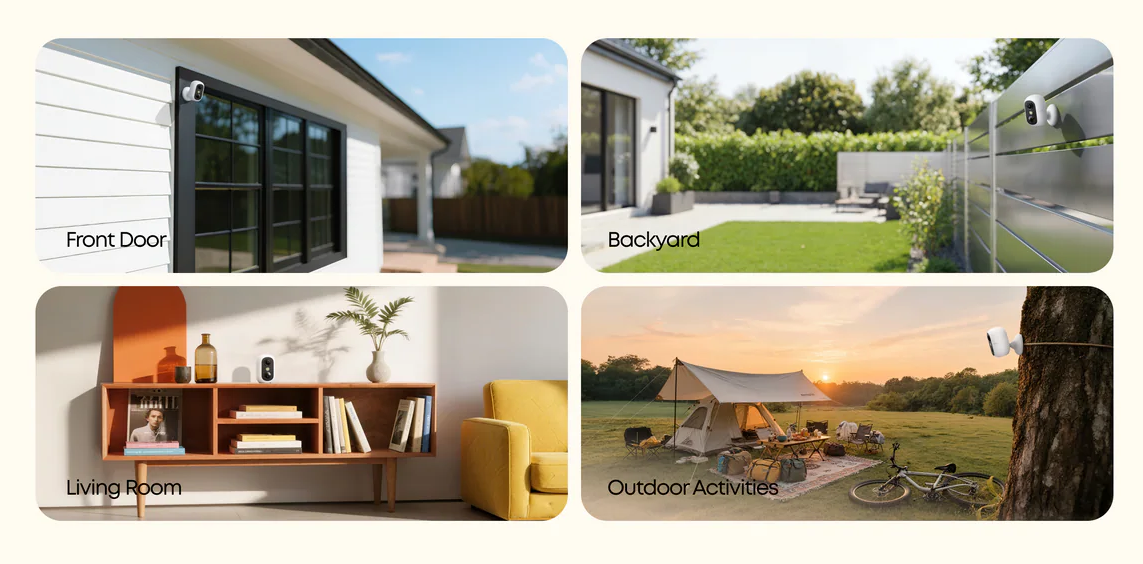
After you narrow the choice to battery power, wireless setup, flexible placement, and short-term local storage, the eufyCam C35 2-Cam Kit is a practical option to compare. It is not trying to replace a fully wired permanent system. Its appeal for temporary use is that it can be magnetically mounted, hung, screwed in, or placed on a flat surface, so you can set it up for an entry, garage, covered porch, or short-term monitoring spot without committing to one fixed location.
The strongest fit is the low-friction setup: a 6500 mAh battery, magnetic or flat-surface placement, and local recording through microSD or HomeBase™ Mini with no monthly fee. In real temporary use, that means fewer cables to hide, fewer subscriptions to start for a three-night stay, and an easier cleanup when you leave. The main limit is clear too: eufy notes that eufyCam C35 does not support 24/7 recording, so it is better for event-based monitoring than continuous archive recording.
If your setup is fully indoors and you want to compare room-focused options, eufy’s wireless indoor security camera collection is useful for comparing pan-and-tilt coverage, two-way audio, night vision, local storage, and smart home integration. For broader security camera shopping, start from that collection and match camera style to the space.
Conclusion
The best portable security camera for short-term rentals and temporary use is not simply the smallest camera you can buy. It is the one you can deploy quickly, aim narrowly, power reliably, store responsibly, and remove cleanly. Battery power, magnetic or tabletop placement, local storage options, and a clear account routine all matter because temporary monitoring has a beginning and an end.
Privacy matters just as much as convenience. Use cameras only where you have permission, keep them out of private spaces, disclose them when required, and delete routine footage after the monitoring period ends. If you want a no-drill setup for short-term visibility, start with a battery-powered model such as eufyCam C35 or compare eufy’s wireless indoor camera options based on where the camera will actually sit.