

Storing business equipment offsite can free up space and cut clutter, but only if the unit is genuinely secure. Laptops, tools, prototypes, and spares all carry real costs if they go missing, including replacement, downtime, and lost jobs.
Let’s break down what to check before you sign a contract, from site layout and access control to door hardware and lighting. Use it to set a clear security standard that fits your budget and the way your team works.
Start With the Real Risk Picture
Security choices work best when they match real risk. List what you store, where it moves, and who touches it. Map the value, replaceability, and any downtime cost if items go missing.
Theft trends should guide your baseline. A recent national release reported theft rising to a 21-year high in 2024, with recorded victims up 6 percent. Treat that as a signal to lift your standard, not a reason to avoid storage altogether.
Perimeter Matters More Than You Think
Strong perimeters stop casual intruders before they reach your unit. Look for full-height fencing, anti-climb features, and limited vehicle pinch points. Gates should be motorized, monitored, and set to close quickly after each entry.
A national model code of practice highlights simple physical barriers as one of the most effective controls, and it stresses that access points should be secured with proper locks or interlocking systems. Translate that to storage by asking how the fence, gate, and door controls fit together as one system rather than as parts.
Location and Access
Convenience influences risk. Busy hubs have more eyes, and even more opportunists. Ask how traffic flows in and out at peak times, and whether staff presence tracks the busy hours.
Pick a location that fits your routes. Look into commercial storage in Kembla Grange or in the nearby location, but never trade proximity for weak security. Check for audit trails, after-hours rules, and how the site handles tailgating.
CCTV, Lighting, and Natural Surveillance
Cameras only help if they capture faces and plates clearly. Look for coverage at every gateway, corridor, and loading bay, and ask to see a sample clip from day and night. Confirm that footage is stored off-site or backed up for a sensible retention period.
Lighting should be bright, even, and shielded from easy tampering. Walk the site in the evening and check for dark corners, blind spots, and glare near doors. Clear sightlines from the office to the yard add passive oversight that deters opportunists.
Access Control, Logs, and Response
Good access systems verify who you are, record when you enter, and limit where you can go. Ask whether the gate code or token is tied to your identity and unit, and whether door times are restricted to your needs.
Logs only matter if someone reads them. Ask how often staff review access history and what triggers a manual check. The facility should spot odd patterns faster than you do.
Questions to ask at sign-up:
- Is access tied to individuals, not just a company name
- How long are logs kept, and who can retrieve them
- Are alerts sent for after-hours access or multiple failed attempts
- Is there on-call support for alarm events
- How is tailgating detected and handled
Doors, Locks, and On-Unit Defenses
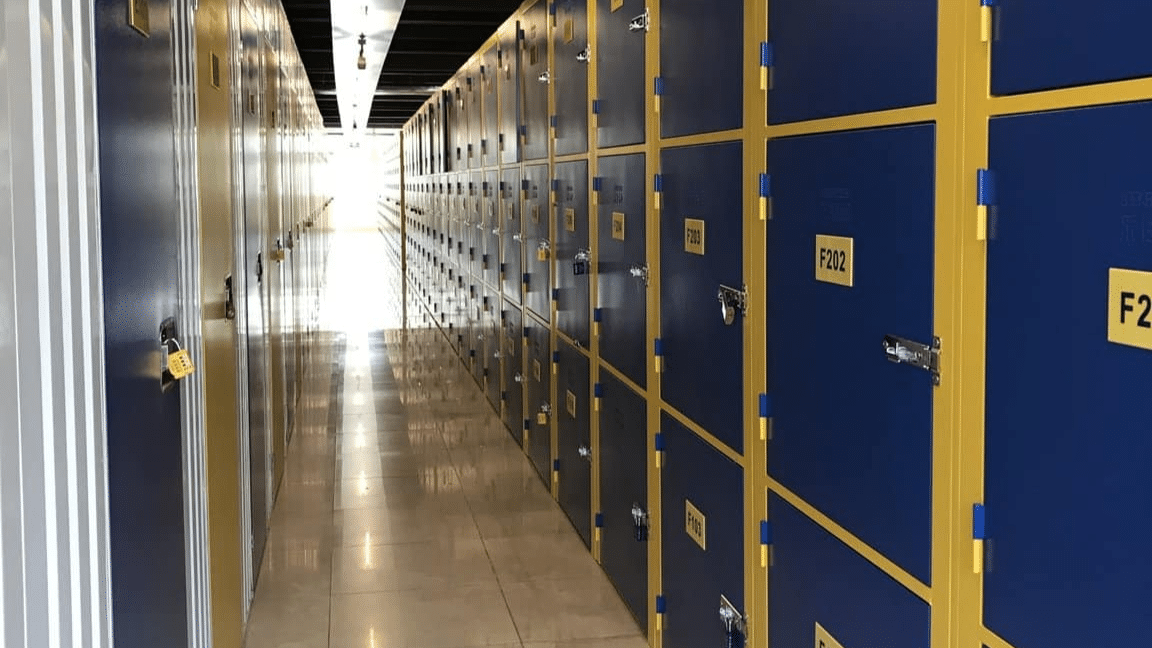
The unit door is your last barrier. Choose roller doors with rigid slats and tamper-proof track fittings. Ask whether the latch system resists pulling or levering, and whether there is a shield over the release mechanism.
Use high-grade disc or cylinder locks that resist picking and bolt cutters. For a sensitive kit, add a lock box, security seals, or a secondary bar inside the unit. If you are moving high-value items, stagger your visits and vary times so patterns are harder to spot.
Policies, Procedures, and Layered Controls
Paper rules shape real behavior. Ask to see the visitor policy, contractor check-in process, and unit allocation rules. Confirm that lost tokens and codes are revoked fast, and that moves or swaps trigger a fresh audit.
The same model code that favors physical barriers calls out locked and controlled access points as a core duty of care that thinking fits storage sites as well. In practice, that means gates that do not prop open, doors that auto-lock, and a culture where exceptions are rare and documented.
Insurance, Documentation, and Ready-to-Recover Habits
Security lowers risk, but it does not remove it. Keep proof of ownership, serial numbers, and clear photos of your equipment. Store a copy offsite and another in the cloud. Inventory updates should follow every pickup and drop-off.
Use checklists that make recovery faster if something goes wrong. Train the team on how to lock up, where to park, and how to mask high-value items during transit. Good habits close the gaps that hardware cannot.
Here’s how to build a simple recovery pack:
- Itemized inventory with replacement values
- Serial numbers and receipts
- Photos of each item and unique marks
- Contact list for police, insurer, and site manager
- A scripted timeline for the first 24 hours
A careful selection today saves time, money, and stress later. Focus on layered controls, simple processes, and a location that fits your routes. With a clear risk picture and steady habits, your business gear stays ready to work when you need it.